
目录

使用docker创建Nginx服务器容器
使用docker创建Nginx服务器容器
这篇文章我们主要是了部署我们的领券联盟作准备的
关于docker的安装
这里我们提供两种创建方式
- 直接手动拉取-->运行
- 通过docker-compose来创建
前面我们知道了docker的三要素
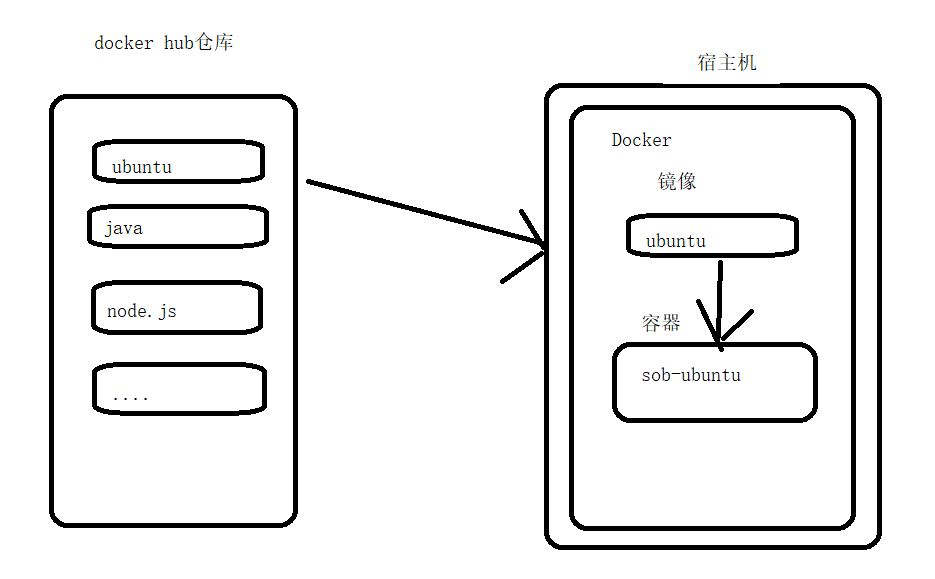
- 仓库
- 镜像
- 容器
接下来我们直接去拉取nginx
拉取Nginx镜像
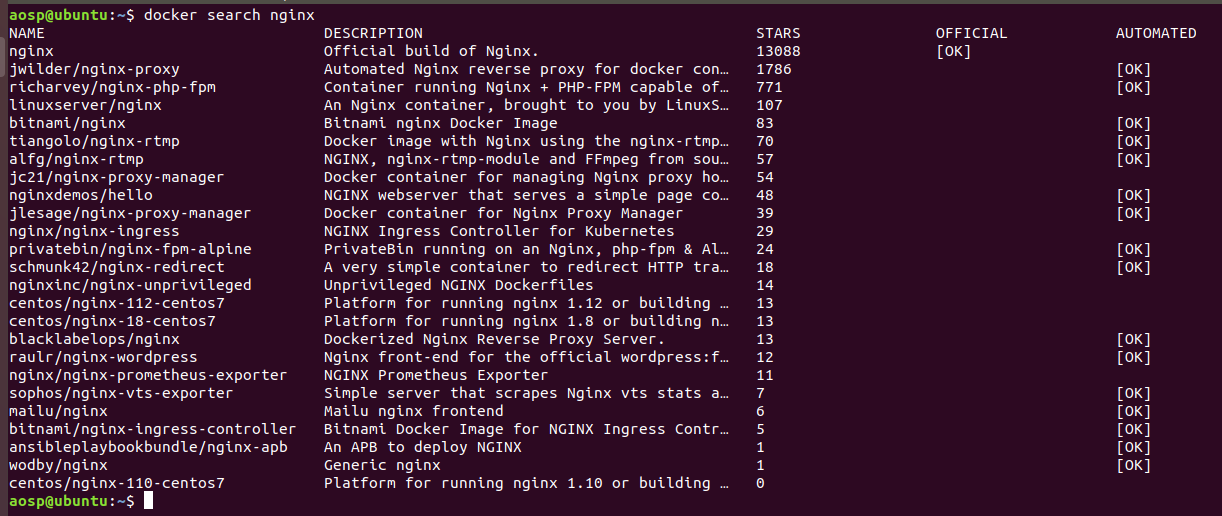
我们从远程仓库库拉取Nginx镜像,这个可以搜索一下。当然,我们知道一定有的。
也可以到dockerHub上去搜素
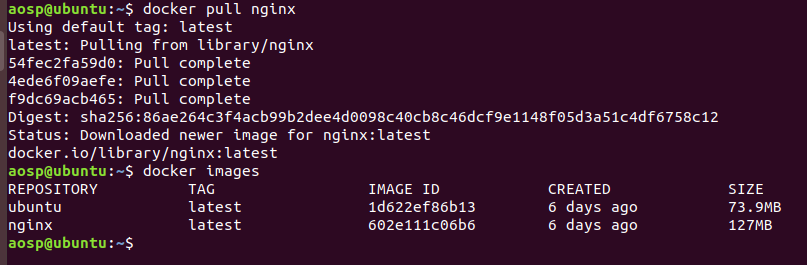
我这就下载完了,如果你下载失败了,多试几次就好。
可以看到,我列出来的镜像就在列表里。
运行容器
其实可以直接运行的,如果你在运行的时候没有的话,会去拉取。默认不加版本号就是最新的版本。
运行之前,我们先了解一些东西。
- 端口,我们Nginx服务器,作为一个代理,负载均衡,让外访问的服务器。我们应该暴露80端口;
- 配置文件,我们的Nginx服务器有配置文件,当然我们可以进去里面修改,第次都要复制出来,复制进去,比较麻烦;
- 网页资源文件放在哪里?我们一般放在外面,也是为了方便修改;
- log目录,最好放在宿主机机。
所以我们要先创建目录,一个是配置文件目录,一个是测试网页的目录,一个是放置Logs的
shell
复制代码
mkdir nginx
cd nginx
mkdir conf
mkdir wwwroot
mkdir logs
先在docker目录下创建nginx目录,再创建三个文件夹。
所以,我们的docker run命令这么写:
shell
复制代码
docker run -d --name=sob-nginx -p 80:80 \
-v /home/aosp/docker/nginx/wwwroot:/usr/share/nginx/html \
-v /home/aosp/docker/nginx/conf/nginx.conf:/etc/nginx/nginx.conf \
-v /home/aosp/docker/nginx/logs:/var/log/nginx \
nginx
说明:
- -d 是后台运行
- --name是容器的名称,
- -v是挂载目录
- \反斜杠是shell里的连接,如果写成一行的话会很长,所以用反斜杠把上下行连接起来,其实就是一行命令
- 最后一个nginx则是镜像名称了,如果有版本则加上版本,不加则是最新的版本。
先是准备配置文件,如下最简单的配置
shell
复制代码
server {
    listen       80;
    server_name  localhost;

    #charset koi8-r;
    #access_log  /var/log/nginx/host.access.log  main;

    location / {
        root   /usr/share/nginx/html;
        index  index.html index.htm;
    }

    #error_page  404              /404.html;

    # redirect server error pages to the static page /50x.html
    #
    error_page   500 502 503 504  /50x.html;
    location = /50x.html {
        root   /usr/share/nginx/html;
    }

    # proxy the PHP scripts to Apache listening on 127.0.0.1:80
    #
    #location ~ \.php$ {
    #    proxy_pass   http://127.0.0.1;
    #}

    # pass the PHP scripts to FastCGI server listening on 127.0.0.1:9000
    #
    #location ~ \.php$ {
    #    root           html;
    #    fastcgi_pass   127.0.0.1:9000;
    #    fastcgi_index  index.php;
    #    fastcgi_param  SCRIPT_FILENAME  /scripts$fastcgi_script_name;
    #    include        fastcgi_params;
    #}

    # deny access to .htaccess files, if Apache's document root
    # concurs with nginx's one
    #
    #location ~ /\.ht {
    #    deny  all;
    #}
}
这是默认的配置
我们直接访问就可以访问到我们的网页啦。
本文由 拉大锯 原创发布于 阳光沙滩 , 未经作者授权,禁止转载
评论
0 / 1024
推荐文章
断点说搞个万年历,怎么搞?
想快速拥有一个专属的程序员日历?只需一篇清晰的设计文档,剩下的交给AI!本文带你从零搭建“sob-calendar”项目,集成农历、节气及独特的程序员运势功能。通过实际案例展示如何利用AI高效生成代码并部署上线,让繁琐的开发工作变得轻松有趣,快来体验科技与传统历法的奇妙碰撞吧!
linux服务器的日志、容器清理
本手册提供了一套全面的Linux服务器磁盘清理与排查方法,帮助用户高效管理磁盘空间。通过查看磁盘使用情况、分析Docker占用、清理无用容器和日志,确保系统运行流畅。适合需要优化服务器性能的运维人员参考。

记给网站接入图形验证码
本文分享了如何为个人站点添加图形验证码以提升安全性,详细介绍了使用第三方接口实现验证码功能的过程,并通过代码示例展示了具体实现方式。对于关注网站安全的开发者来说,这篇文章提供了实用的参考价值。
Java开发环境搭建
本文是一份详细的Java开发环境搭建指南,涵盖了Java的发展历史、版本选择及安装配置过程。无论你是初学者还是有经验的开发者,都能从中找到实用的信息和步骤,帮助你快速上手Java开发。
Vue3.js项目的创建
本文详细介绍了如何使用Vue3创建项目,包括Node.js的安装和配置,以及项目的初始化过程。适合初学者学习如何快速搭建Vue3开发环境,并推荐了相关课程供进一步学习。
Network Tools : 您的运维“助手”升级了
Network Tools是一款专为解决运维难题而设计的软件,集设备管理、配置备份、性能监控和告警处理于一体。通过统一的工作台,帮助运维人员更高效地管理资产、定位故障并提升团队协作效率。无论是设备在线状态还是具体问题排查,都能得到全面支持。
Ubuntu 软件安装与彻底卸载指南
本文详细介绍了在 Ubuntu 系统中如何规范安装和彻底卸载 .deb 格式软件,包括依赖修复、残留清理以及图形化工具推荐,适合需要维护系统环境的用户。
JavaWeb开发客户程序更新特殊环境下的骚操作
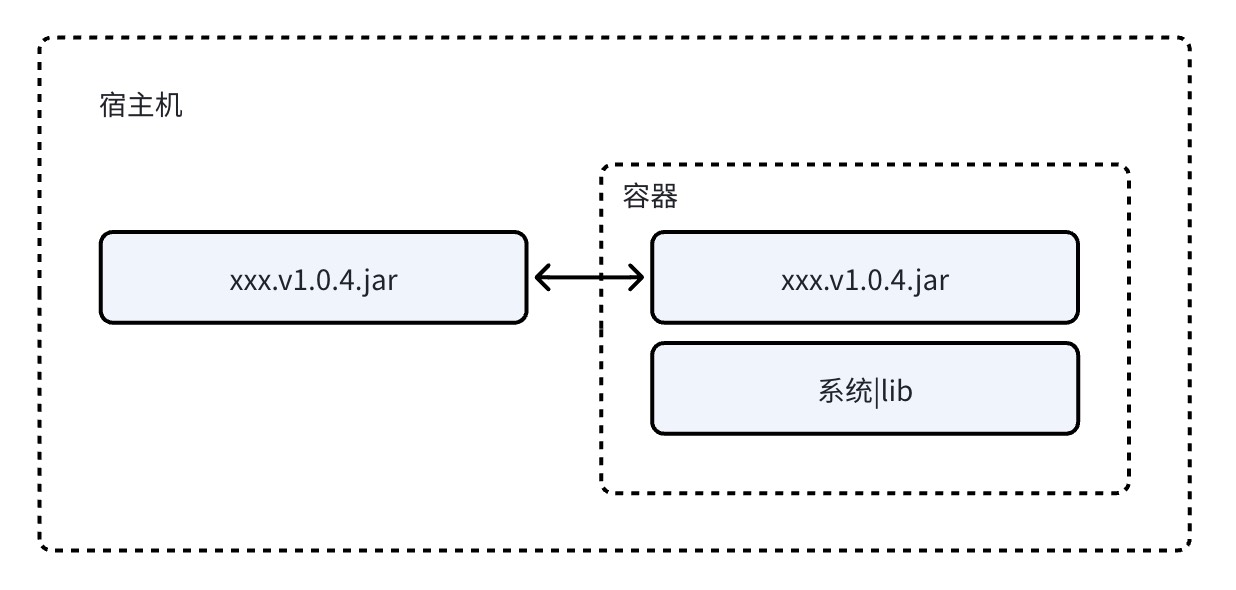
本文分享了在无外网环境下,如何利用Docker和docker-compose实现高效部署的实战经验。通过基础镜像和本地jar包挂载的方式,解决了内网环境下的依赖问题,适合需要灵活部署方案的技术人员参考。
Linux 防火墙完全指南:从原理到多发行版实战
本文全面解析Linux防火墙的底层原理与主流工具配置,涵盖UFW、firewalld、iptables、nftables等方案,适合不同发行版用户。从基础概念到生产环境加固建议,助你掌握核心安全策略,确保服务器与网络的安全运行。
水上派对英语单词篇
探索FLOATOPIA水上派对的完整指南,涵盖签到流程、场地指引、安全须知、活动安排及夜场舞会等实用英语词汇与对话。无论是初学者还是老手,都能轻松掌握关键术语,享受完美水上体验。
麒麟操作系统下使用 virt-customize 重置虚拟机 root 密码实战
本文详细介绍了在麒麟操作系统环境下使用 virt-customize 工具重置 KVM 虚拟机 root 密码的完整流程,包含安装步骤、常见问题及解决方案,帮助运维人员高效处理密码遗忘或批量初始化场景,避免数据丢失。
浅析JS预编译-函数篇
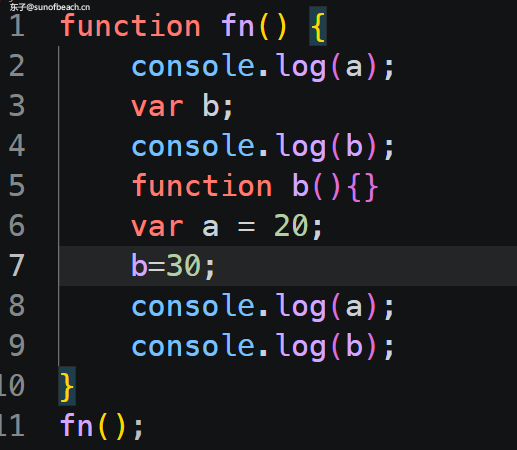
本文详细讲解了JavaScript中函数的预编译过程,包括AO对象的创建、变量和函数声明的提升,以及执行阶段的变化。适合初学者了解JS执行机制,帮助深入理解代码运行逻辑。
访问Github的另一种姿势
本文介绍了如何通过Watt ToolKit等工具加速访问Github,适合对网络技术感兴趣的读者。内容涵盖工具介绍、下载和使用方法,以及一些实用技巧,值得一看。
使用Gulp压缩JS
本文详细介绍了如何使用Gulp压缩JavaScript文件,特别是支持ES6语法的处理方法。通过实际操作和效果对比,帮助开发者提升代码性能,适合对前端自动化工具感兴趣的读者。
使用Gulp压缩CSS
本文详细介绍了如何使用Gulp工具对CSS文件进行压缩,提升网页加载速度。适合需要优化静态资源的开发者,提供清晰的步骤和示例,帮助快速上手。
从0部署Nuxtjs项目
本文详细介绍了如何将Nuxt.js项目部署到公网,涵盖Node.js安装、环境配置、源码上传及使用PM2启动服务的全过程,适合开发者学习和实践。
Linux 命令行美化利器:tree 命令完全指南(安装 + 全部参数详解)
掌握 Linux 下的 `tree` 命令,快速直观地查看目录结构。本文详细讲解安装方法、参数含义及实战场景,适合开发者和系统管理员提升工作效率。
Linux常用命令(一)
本文详细介绍了Linux基础命令,包括文件操作、系统显示、网络状态、软件包管理等,适合初学者学习和查阅,是掌握Linux系统的实用指南。

大模型推理参数解码:温度、Top-p 与核采样如何塑造生成文本的灵魂
探索大语言模型的采样参数如何塑造生成内容,从温度到Top-p,从惩罚机制到熵控制,揭示背后的信息论原理与实践策略。了解如何通过参数调优,让AI既保持知识的严谨,又拥有创造力的自由。
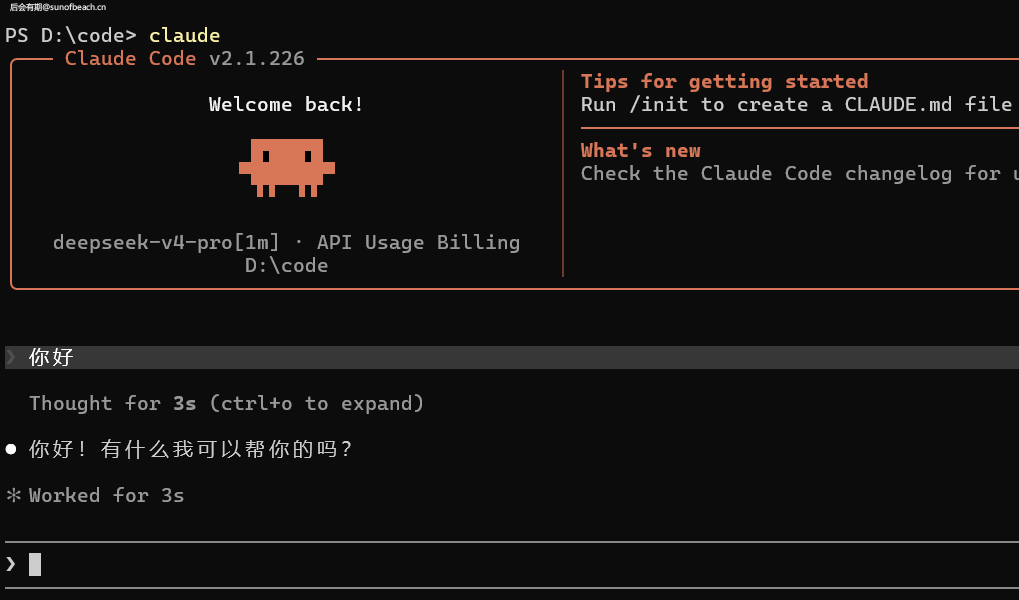
记从0使用Claude code写代码
本文介绍了如何使用Claude Code搭配DeepSeek进行编程,详细讲解了安装Node.js、全局安装Claude、配置模型以及使用方法。对于开发者来说,这是一份实用的技术教程,尤其适合对AI编程工具感兴趣的读者。
Android-Studio-Gradle同步失败-Library为null的通用排查指南
遇到 Android Studio Gradle Sync 失败时,不要轻易删除全局缓存。本文详细解析了错误原因,并提供了一系列精准的排查步骤和解决方案,帮助开发者快速定位并解决问题,提升开发效率。
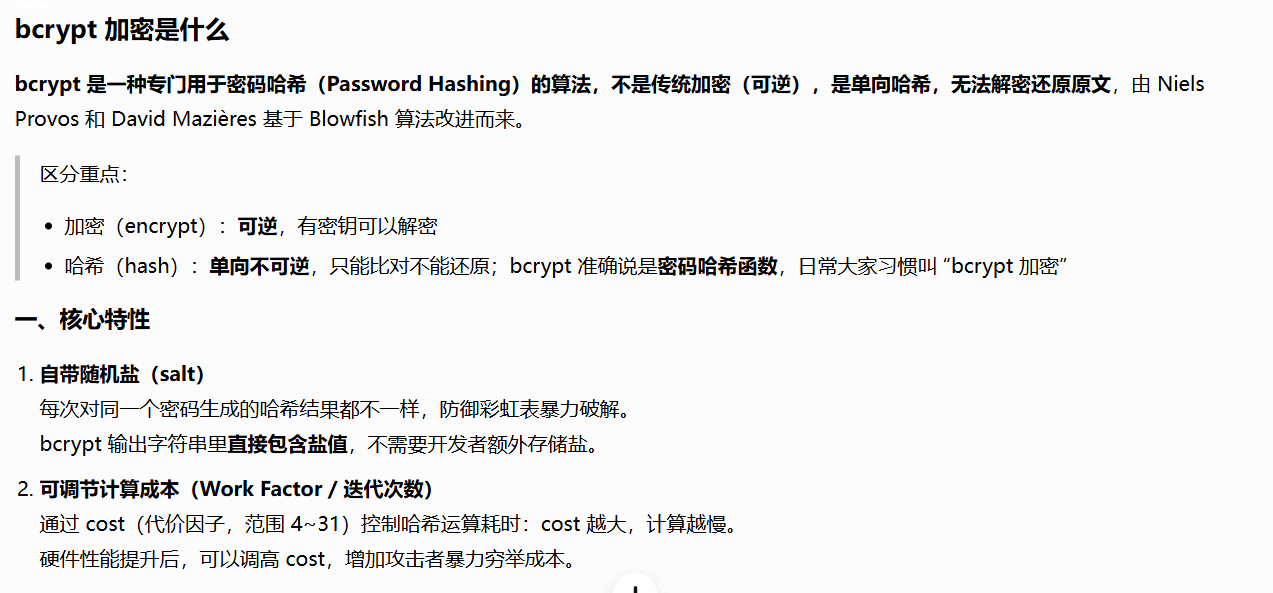
PHP实现密码加密
本文详细介绍了Bcrypt密码加密技术及其在PHP中的应用,帮助开发者提升用户密码的安全性。通过实际代码示例,展示了如何使用password_hash和password_verify函数进行密码加密与验证,是学习网络安全知识的实用指南。
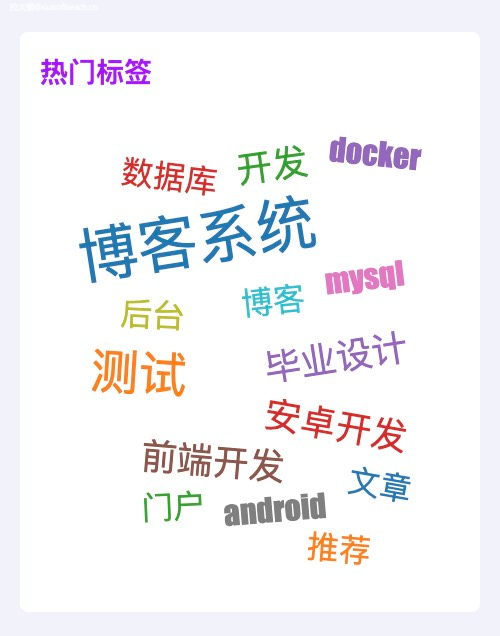
WordCloud效果,滚动标签
本文详细介绍了如何在Vue项目中集成WordCloud组件,包括依赖安装、属性配置和使用方法。适合开发者学习如何实现数据可视化功能,提升项目交互体验。
从0使用WordPress搭建一个优美的网站
本文详细介绍了如何使用WordPress搭建一个美观的网站,从安装到主题配置和功能拓展,为读者提供了实用的操作指南。无论是初学者还是有一定经验的开发者,都能从中获得有价值的参考。

JS实现在网站底部添加运行时间
想知道如何在网站底部显示运行时间?本文详细讲解了通过JavaScript实现这一功能的方法,包括时间计算逻辑和代码实现。适合前端开发者学习参考,轻松为网站添加实用功能。
在Vercel上部署Hexo博客
本文详细介绍了如何在Vercel上快速部署Hexo博客,无需后端服务即可实现高效发布。相比传统方式,省去了手动生成和上传静态文件的步骤,更加便捷。适合想要搭建个人博客的开发者参考。
从0搭建一个Hexo博客
本文详细介绍了Hexo博客框架的使用方法,从安装到部署全流程讲解,适合想快速搭建个人博客的技术爱好者。内容清晰易懂,是入门Hexo的理想指南。
离线设备激活方案:古老的 Windows 光盘激活,离线算法授权等
本文深入解析了离线激活的核心原理与实现方式,从历史案例到现代技术,全面剖析了如何在无网络环境下确保软件授权的安全性。通过设备指纹、授权文件校验等手段,为开发者提供了可复用的架构设计思路,适用于工业、医疗等对网络依赖较低的场景。
Hexo实现生成站点地图
想为你的Hexo博客添加站点地图功能吗?本文详细介绍了如何通过安装插件和配置文件来实现,适合没有内置该功能的新主题或自定义主题的用户。简单步骤助你提升搜索引擎优化效果。
Hexo实现代码压缩
本文分享了如何通过Hexo插件优化博客性能,详细介绍了安装和配置过程,帮助提升网页加载速度。适合对网站优化感兴趣的开发者阅读。
2